BitScope Edge Clusters
Table of Contents
Compact Raspberry Pi Clusters for Edge Compute.

BitScope Edge Clusters are fully managed rack, desktop or wall mount Raspberry Pi Clusters for edge computing. Built with BitScope Cluster Blade they offer scalable solutions from 8 nodes and up, integrating cooling, power management and diagnostics, with ready access to USB for local storage, AI/ML or other peripherals, some with HDMI, and all supporting a wide range of deployments.
About Edge Clusters
Edge Clusters are rack, desk or wall mount members of BitScope's Raspberry Pi Cluster Family.

Edge Clusters supply reliable power and cluster control for 8 to 48 Raspberry Pi in a compact stand-alone unit. Based on Cluster Blade, Edge Clusters accept 12V to 24V and regulate down to 5V. They provide active cooling, voltage, current and power monitoring, remote power control, full console access and diagnostic support. All USB ports are accessible at the front for the connection of peripherals including USB3 SSD/HDD and AI/ML dongles. Some models also allow access to Raspberry Pi HDMI ports for the connection of displays to the cluster.
All models can be mounted in 19" racks and some allow an integrated switch to be mounted at the base of the cluster itself. Any node in the cluster can manage all the others, or the cluster can be managed externally via a USB or WiFi connected cluster controller. Cluster control extends to full power management, cooling profiles and out-of-band communications via the control bus. The control bus allows access each node via its system console allowing full root and kernel level access to each node. It is even possible work down the firmware and bootloader level.
Product Range
Edge Clusters are available in 8, 12, 24 and 48 node versions where each is available in desktop, rack-mount, wall-mount and shelf-mount variants (except the 48 node which is rack-mount only).
| EC08 (desktop version) | (rear view) |
 |
 |
| EC12 (rack-mount version) | (rear view) |
 |
 |
| EC24 (integrated wall-mount version) | (rear view) |
 |
 |
| ER48 (rack-mount only) | (rear view) |
 |
 |
Multiple clusters of any of these sizes can be configured to be part of a single large cluster. Up to 96 nodes per cluster can be built this way and clusters can be interconnected to create arbitrarily large modular clusters. The 48 node version can be configured as a pair of fully redundant 24 node clusters including power supply for optimal system up-time reliability or multiple smaller modules can be configured the same way.
Edge Clusters Features
All Edge Cluster designs share the same key features.
| ✔ Raspberry Pi 4B 1G, 2G, 4G or 8G. | ✔ BitScope Cluster Bus & Control Plane. |
| ✔ Accepts 12V~24V unregulated supply. | ✔ Node Power, Bootstrap & Shut-Down. |
| ✔ Provides 5V @ 50W/Blade (regulated). | ✔ Power, Voltage & Current Monitoring. |
| ✔ Power Good and Node Load indicators. | ✔ Supports USB3 Connected Periperals. |
| ✔ Active Cooling System (Programmable). | ✔ Use stand-alone or to build large clusters. |
| ✔ All GBit Network Ports Accessible | ✔ Supports Integrated SSD Up to 2TB/Node. |
SSD Data Options
Edge Clusters can accept external SSD or USB flash drive data storage solutions. They simply connect via USB from the front panel. However the 8 and 12 node models have the option to mount internal SSD. In this example, four nodes have internal SSDs mounted.

Key to this is the BitScope SSD Backpack.
| SSD Backpack | Assembly Guide |
 |
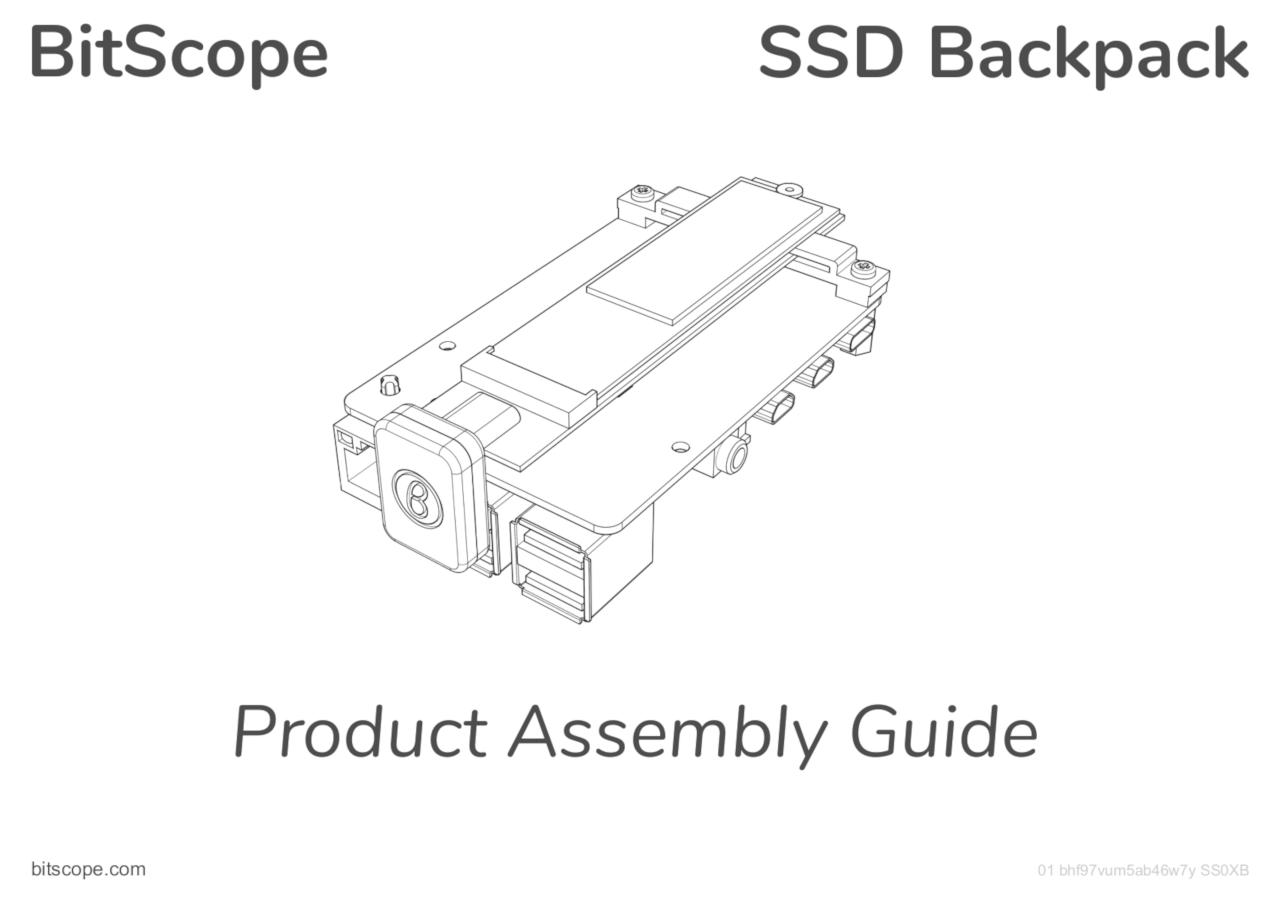 |
This is an adapter that mounts any M.2 SSD, of either SATA or NVMe type, on the back of Raspberry Pi 4B. It uses one of the two USB3 ports leaving the second one available for other peripherals. Depending on the SSD, read speeds of close to 400MB/s (up to 20x faster than Micro SD cards) can be achieved. The blades inside Edge Cluster provide regulated power for the SSD subject to the Raspberry Pi current limit via the USB3 port.
While it is also possible to use Micro SD cards with the Raspberry Pi mounted inside an Edge Cluster, this is not recommended unless your I/O speed and (write) longevity requirements are low. Instead we recommend the use of SSD, or NFS or NBD to serve data via the network.
Control Plane
All Edge Clusters include the BitScope Control Plane. Any node in the cluster can manage all the others via the internal control bus.

Alternatively the cluster can be managed externally via a USB connected BitScope Mote which plugs into the bus via a 10-way socket at the rear of each Edge Cluster. The Mote may also be mounted on Raspberry Pi Zero 2W providing access via WiFi. Multiple Edge Clusters can be interconnected to create a single large cluster with the control bus extended to create a single control plane which can be managed from the control mote. A single power supply may be distributed in the same way.

The cluster control plane extends to full power management, cooling profiles and out-of-band communications via the control bus. It allows access to each managed node via its system console allowing full root and kernel level access.
Desktop Clusters
Raspberry Pi has created a mini-revolution in desktop computing. Now with A72 Quad Core and full 64-bit it opens the door to another revolution; Cloud Native on the Desktop.

BitScope Edge Clusters offer a compact and powerful way to create your own cloud on the desktop. Far more than simply stacking some Raspberry Pi, this novel turn-key approach offers developer accessible embedded BMC, an out-of-band control plane with full remote access down to the kernel system console and firmware. They can mount SSD and HAT expansion periperhaps internally and connect monitors via HDMI ports on multiple nodes with full external access to every USB port.
In a standard configuration, the 8 node cluster (pictured above) provides access to 4 HDMI ports and 2 internal SSD. The 12 node edition provides access to 6 HDMI ports and 4 internal SSD.

In both cases, simply add 12 or 16 port network switch to create a fully equipped development cluster with one or more integrated desktop computers at your fingertips.
If you need to plug in peripherals, such as keyboards, mice, additional hard disks, AI/ML computing dongles, or anything else, all the Raspberry Pi USB 3.0 and 2.0 ports are readily accessible from the front panel. Other than the available ports, the only limit on the number of periperhals is the Raspberry Pi USB current limit (1.2A across four USB ports) and total blade power budget (50W for every four adjacent nodes in the cluster) presuming you have used an appropriate power source.
The dynamic internal per-node cooling fans and the (almost silent) laminar flow extraction fans at the rear of the cluster ensure all the nodes remains cool under the heaviest of workloads.
Need more nodes? Simply stack them and connect the control plane.
Expansion Hardware
In addition to USB ports a Raspberry Pi HAT connector is available on every node inside the cluster.
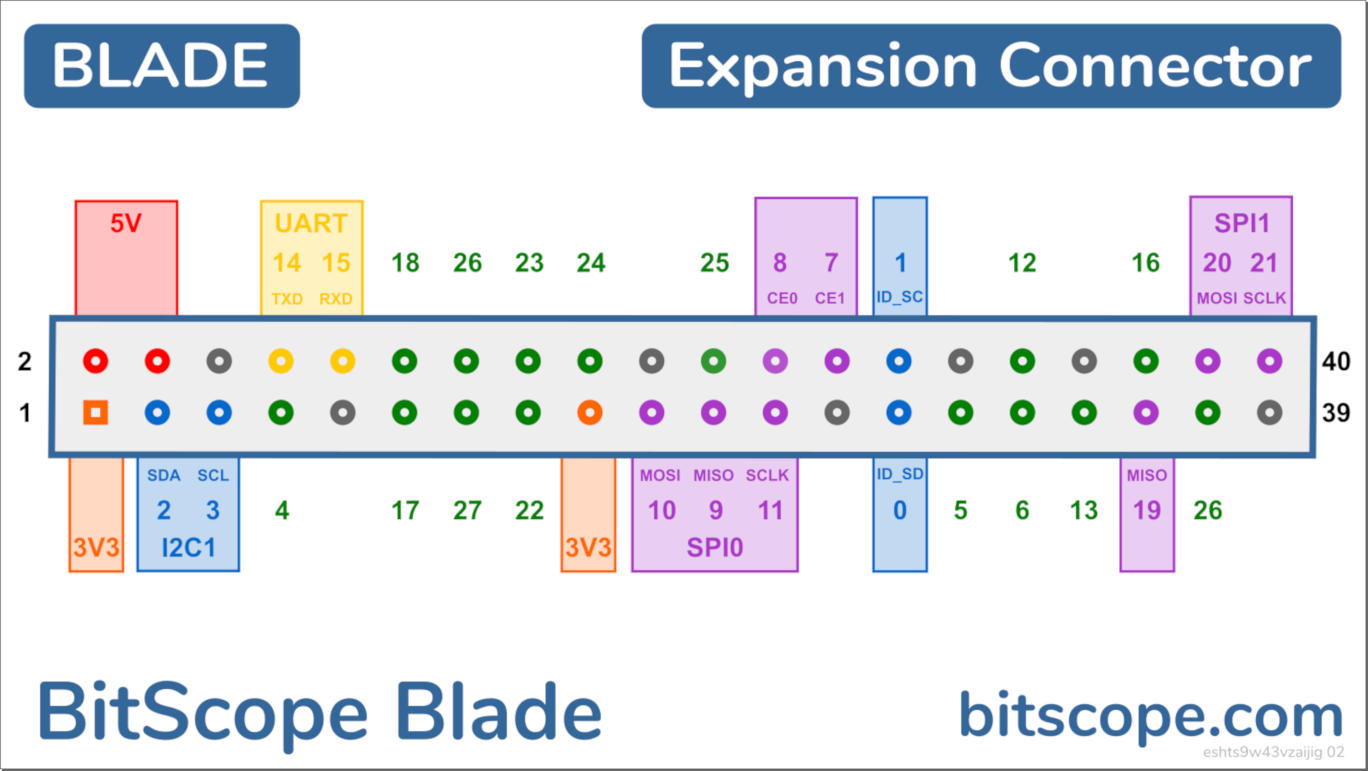
The HAT connectors are accessible underneath each node. The space between each blade is sufficient to mount HAT periperhaps in some configurations (it depends on the HAT design). For others or depending on the type of expansion hardware there may not be sufficient to space or I/O accessibility may be constrained. The 12 node edge cluster has more space between blades and is the recommended choice when using larger HAT hardware. If 12 nodes are not required, the cluster can be sub-populated.
Product Assembly Guide
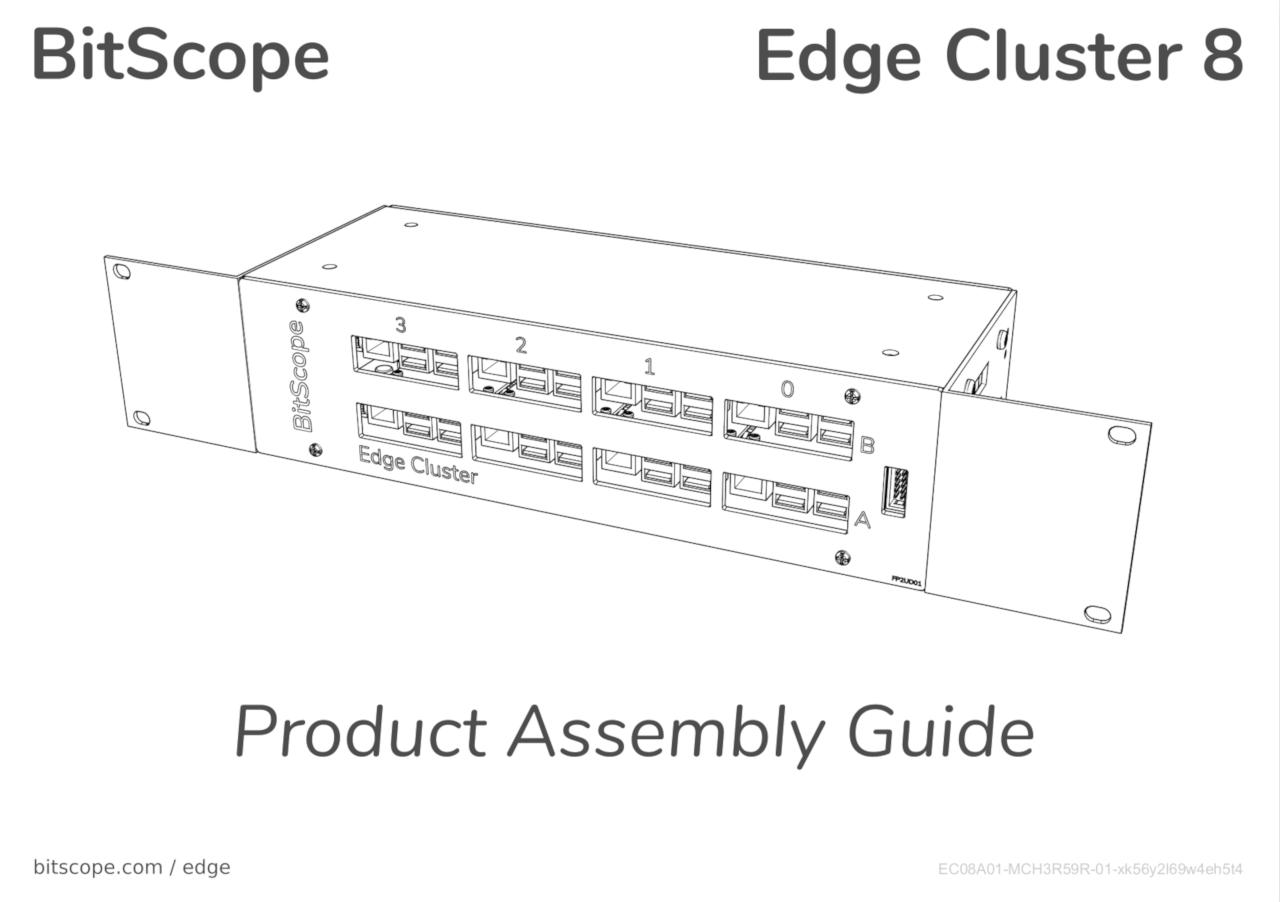
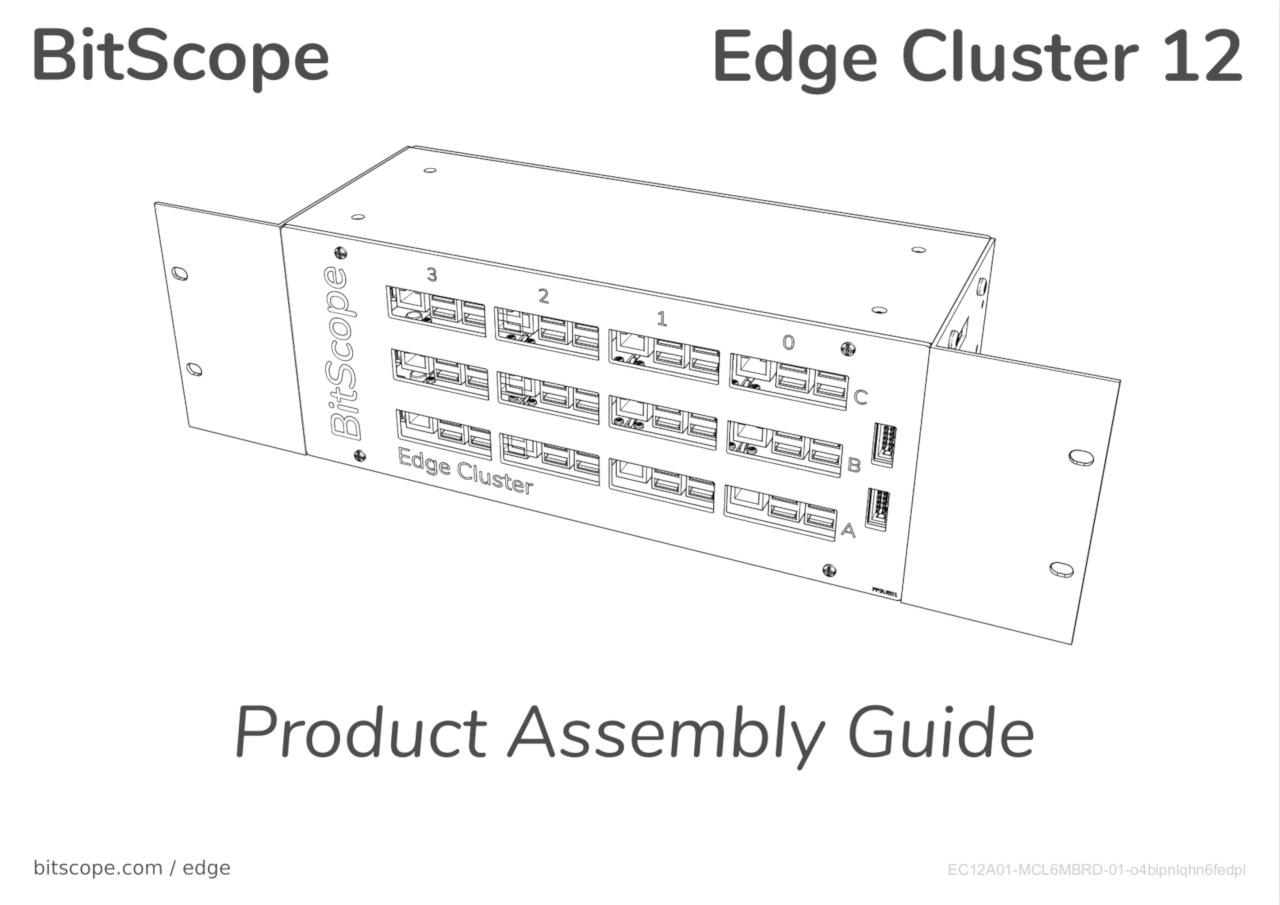
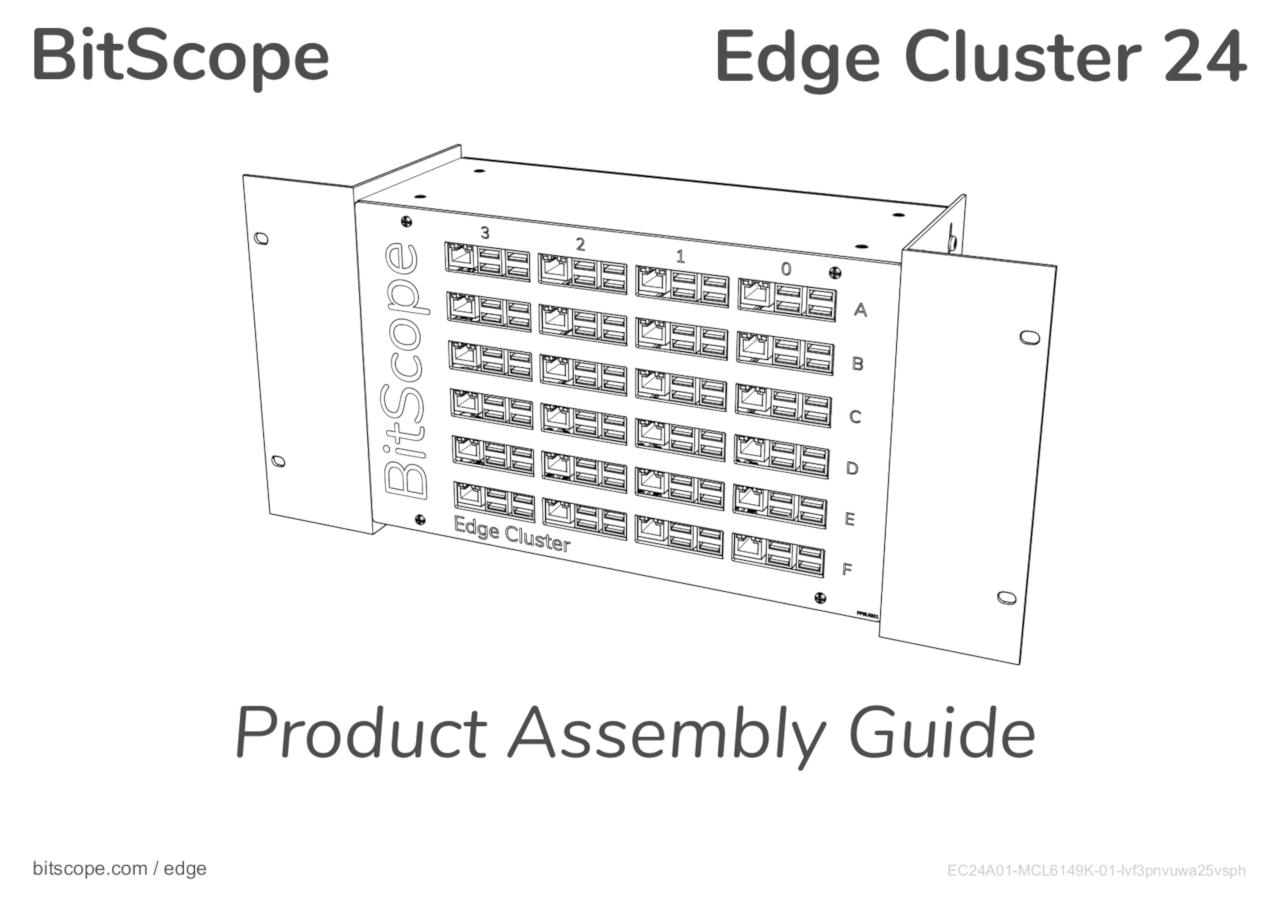
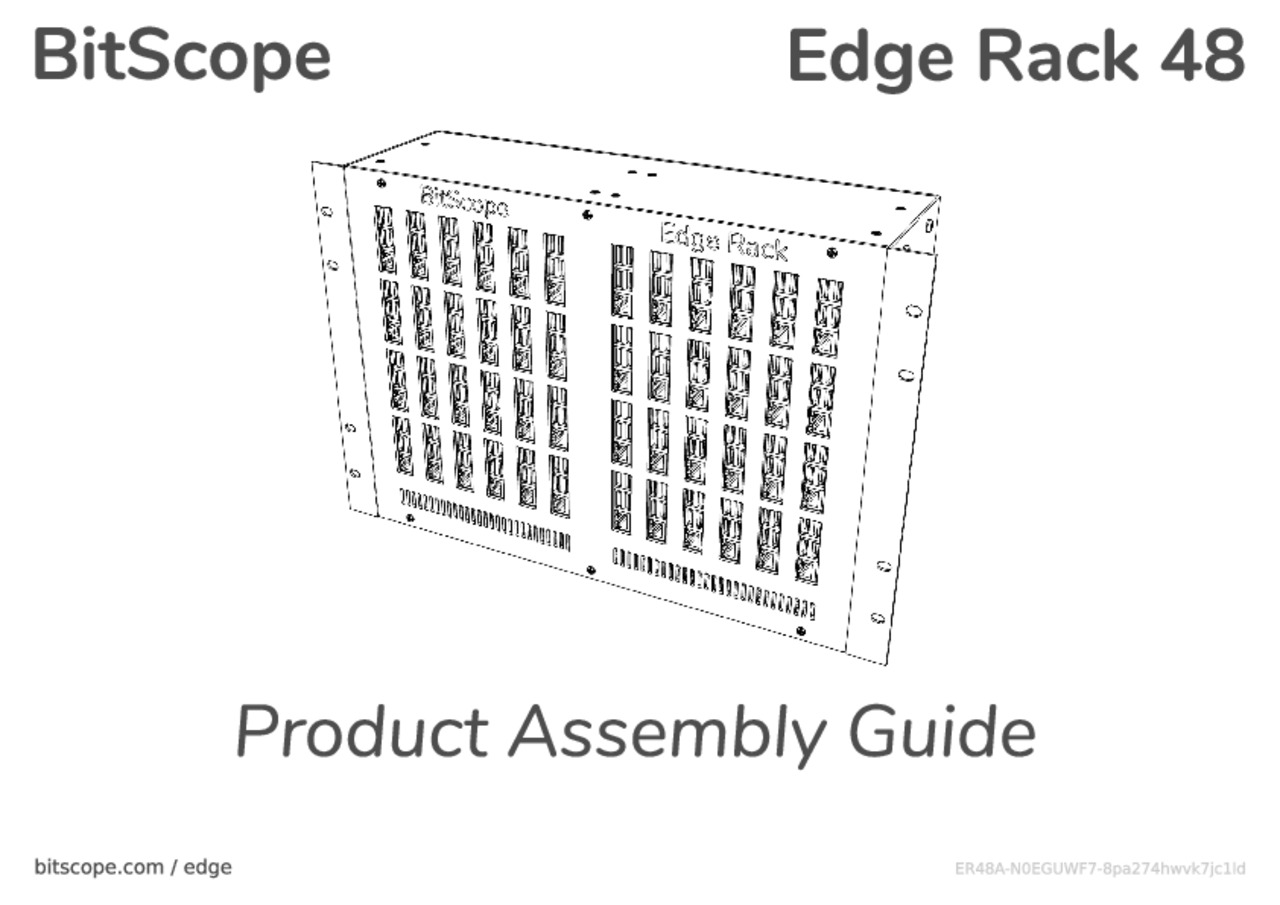
Edge Clusters are supplied flat-pack or fully assembled, provisioned and tested. The following assembly guides explain, "Ikea style", how to assemble an edge cluster if purchased flat-pack. If purchased fully assembled you may still find these guides helpful as they give you a clear idea of what is inside and what is required to open and/or rebuild if required.
| EC08 Edge Cluster 8 |
 |
| EC12 Edge Cluster 12 | EC24 Edge Cluster 24 | ER48 Edge Rack 48 |
 |
 |
 |
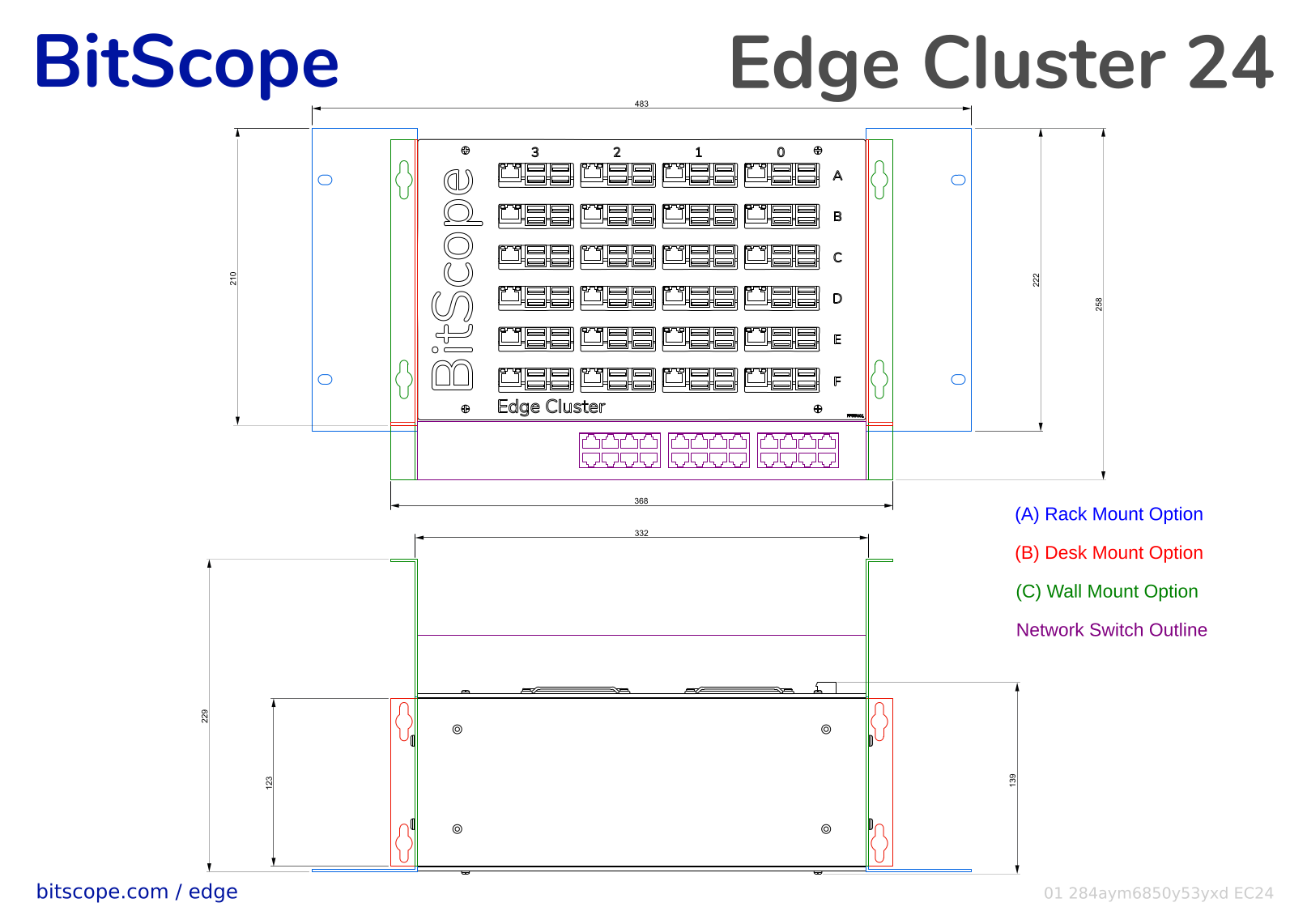
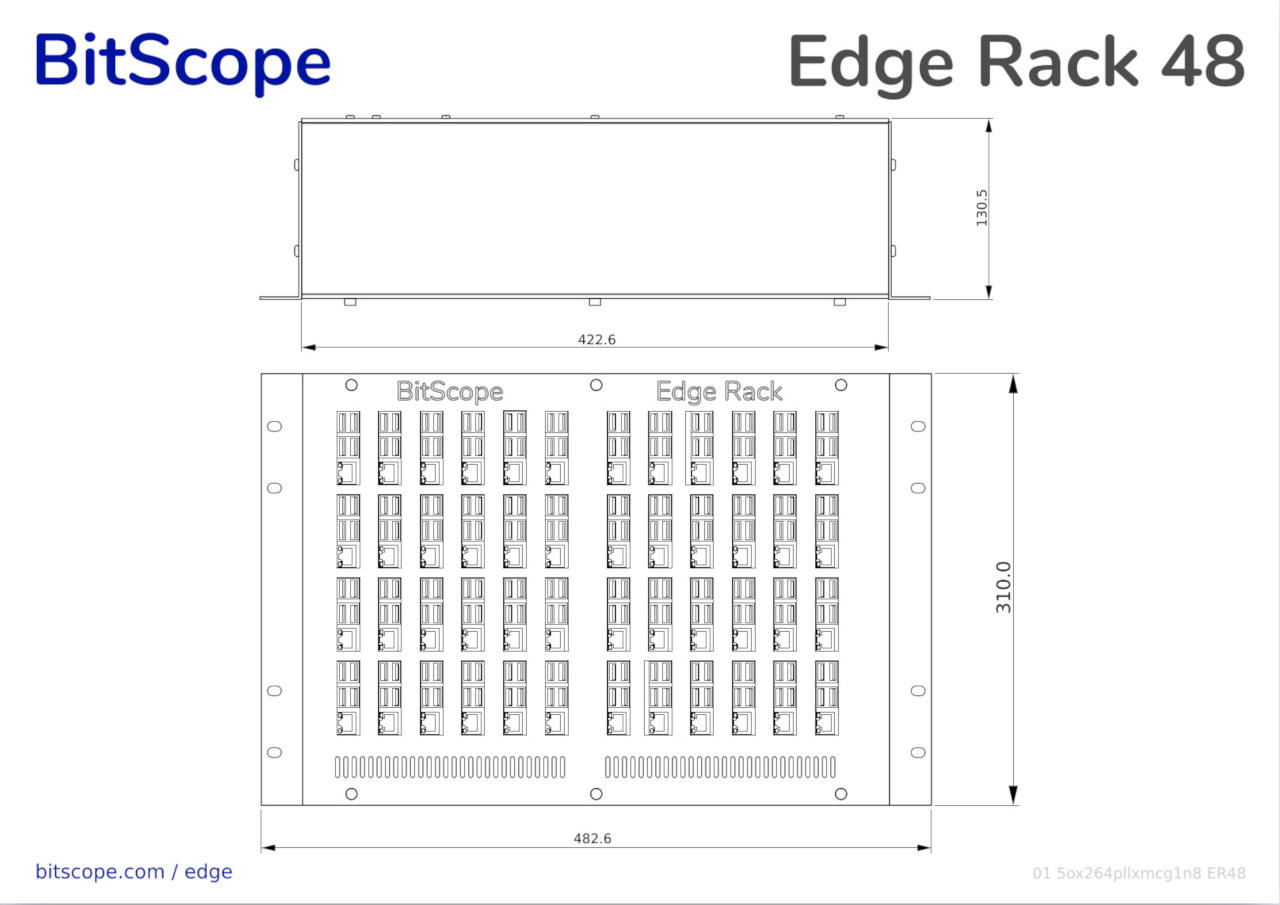
Product Dimensions
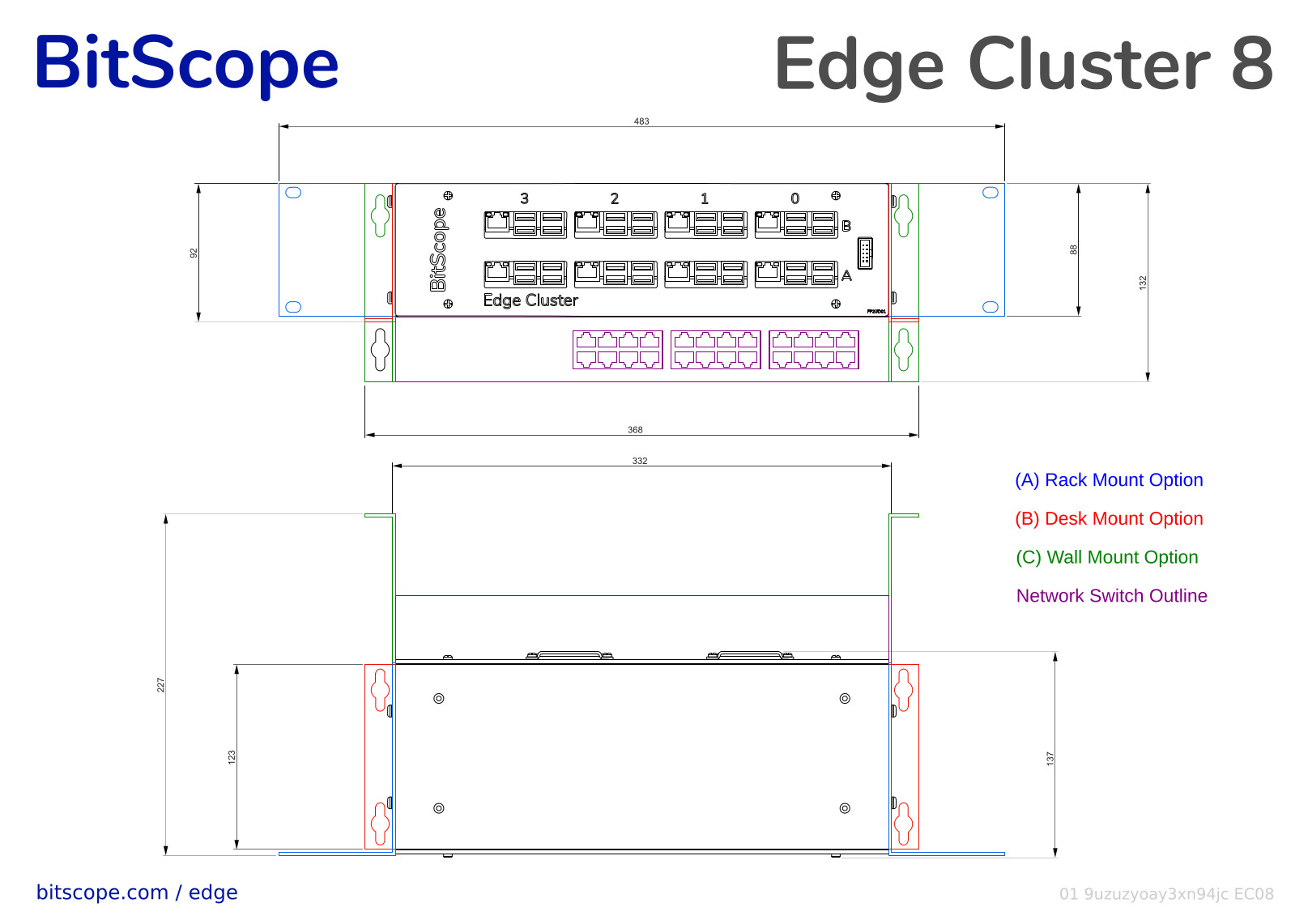
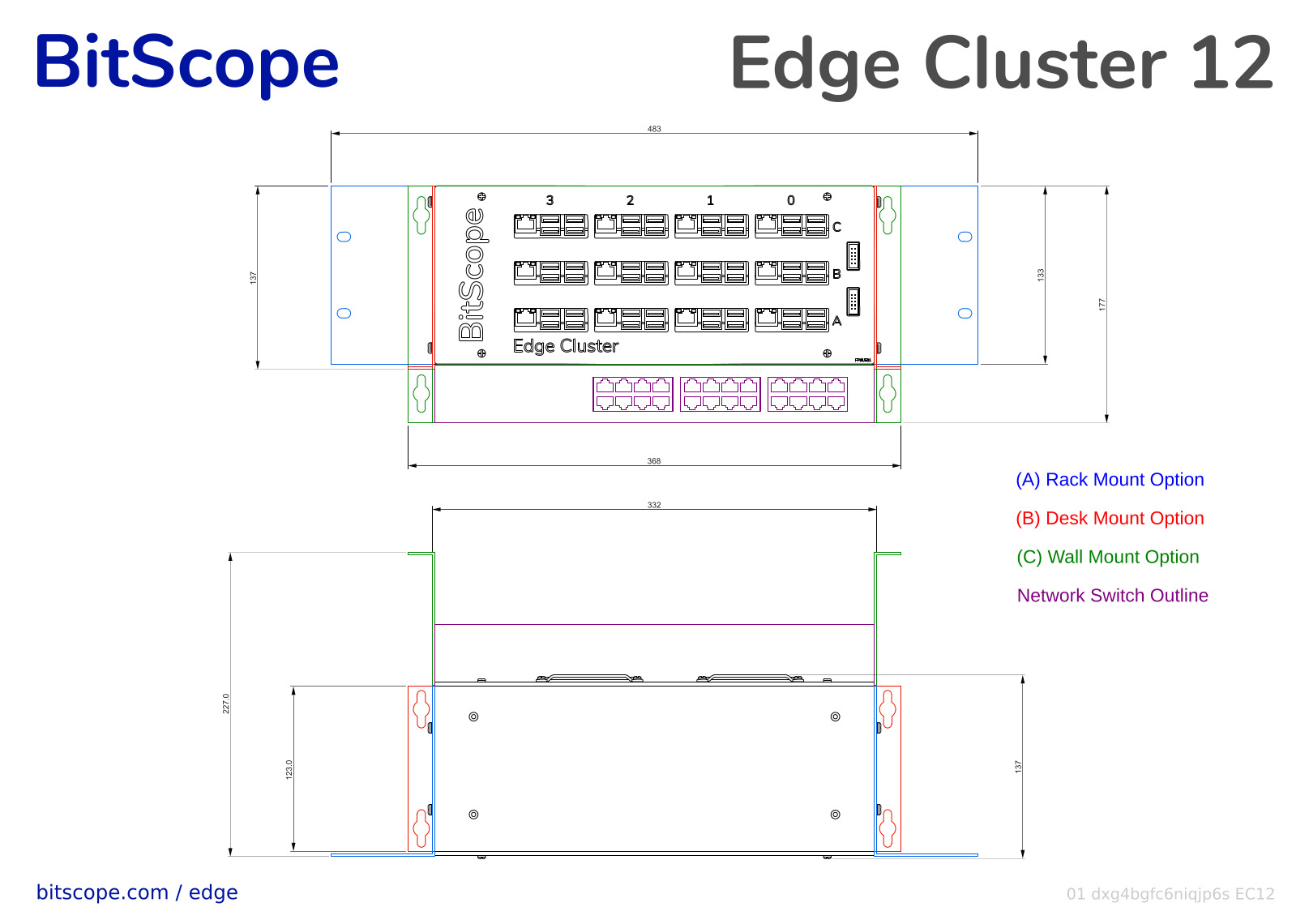
Edge Clusters are 13" wide. Ears for mounting in 19" racks are available. Alternatively they can be wall, shelf desk-top mounted. These drawings specify all the important external dimensions.
| EC08 Edge Cluster 8 |
 |
| EC12 Edge Cluster 12 | ER24 Edge Cluster 24 | ER48 Edge Rack 48 |
 |
 |
 |
Mounting Options
Edge Clusters with 8, 12 or 24 nodes are supplied with metalwork to mount in one of three ways according to your requirement; rack-mount, desktop or wall-mount. Additional mounting kits are available (for purchase separately) if you seek to relocate an existing cluster from one location to another. For example from desktop to rack-mount.
The full range of mounting options for these models is:
| EC08A (rack-mount) | EC08B (desktop) | EC08C (wall-mount) |
 |
 |
 |
| EC12A (rack-mount) | EC12B (desktop) | EC12C (wall-mount) |
 |
 |
 |
| EC24A (rack-mount) | EC24B (desktop) | EC24C (wall-mount) |
 |
 |
 |
The 48 node cluster is designed for rack mounting only. If you need 48 nodes in a desktop or wall-mount configuration we recommend the use of a pair of 24 nodes edge clusters which can be interconnected to function as one 48 node cluster.
Technical Specifications
Edge Clusters have similar specifications. They differ in the number of nodes and power required. They can be used stand-alone or with each other. The control plane can be extended between them. See BitScope Cluster Specification Definitions for more information about these specifications.
| Product | EC08 | EC12 | EC24 | ER48 |
|---|---|---|---|---|
 |
 |
 |
 |
|
| Compatiblity | Pi 4B 1G, 2G, 4G & 8G | Pi 4B 1G, 2G, 4G & 8G | Pi 4B 1G, 2G, 4G & 8G | Pi 4B 1G, 2G, 4G & 8G |
| Nodes per Rack | 8 | 12 | 24 | 48 |
| Power Budget | 100W | 150W | 300W | 600W |
| Network Switch | Option | Option | Option | No |
| Network Ports | 8 | 12 | 24 | 48 |
| Network Bandwidth | 8 GBit | 12 GBit | 24 GBit | 48 GBit |
| USB Port | 16 x USB3 + 16 x USB2 | 24 x USB3 + 24 x USB2 | 48 x USB3 + 48 x USB2 | 96 x USB3 + 95 x USB2 |
| Onboard RAM | 64 GB | 96 GB | 192 GB | 384 GB |
| Max SSD Capacity | 16 TB | 24 TB | 48 TB | 96 TB |
| USB I/O Bandwidth | 80 GBit | 120 GBit | 240 GBit | 480 GBit |
| HDMI Connections | 2/4 | 3/6 | ✗ | ✗ |
| Integrated SSD | 2 Option | 3 Option | ✗ | ✗ |
| Active Cooling System | ✔ | ✔ | ✔ | ✔ |
| Built-in Control Plane | ✔ | ✔ | ✔ | ✔ |
| BitScope I/O System API | ✔ | ✔ | ✔ | ✔ |
| Geographic Node Addressing | ✔ | ✔ | ✔ | ✔ |
| Voltage, Current & Power Monitor | ✔ | ✔ | ✔ | ✔ |
| Cluster Control Bus | ✔ | ✔ | ✔ | ✔ |
| Node UUID, SRAM & FLASH | ✔ | ✔ | ✔ | ✔ |
| Voltage, Current & Power | ✔ | ✔ | ✔ | ✔ |
| Message Passing System | ✔ | ✔ | ✔ | ✔ |
| Remote Diagnostics Support | ✔ | ✔ | ✔ | ✔ |
| Redundant Power Support | ✗ | ✗ | ✔ | ✔ |
| Soft-Knee Power Control | ✔ | ✔ | ✔ | ✔ |
| Short Circuit Protection | ✔ | ✔ | ✔ | ✔ |
| SLA/UPS Support | ✔ | ✔ | ✔ | ✔ |
| HAT Power | 5V via J8 | 5V via J8 | 5V via J8 | 5V via J8 |
| Auxilliary Power | 8 x 5V | 12 x 5V | 24 x 5V | 48 x 5V |
| Indicator LEDs | Reset / Int | Reset / Int | Reset / Int | Reset / Int |
| Processor reset/interrupt | ✔ | ✔ | ✔ | ✔ |
| SPI, I2C, Serial & GPIO | ✔ | ✔ | ✔ | ✔ |
| Reversable Chassis | ✗ | ✗ | ✗ | ✗ |
| 19" Rack Compatible | 2RU | 3RU | 5RU | 7RU |
| Desktop Option | ✔ | ✔ | ✔ | ✗ |
| Wall Mount Option | ✔ | ✔ | ✔ | ✗ |
| Switch Option | ✔ | ✔ | ✔ | ✗ |
| DC 2.1mm, PoE Compatible | ✗ | ✗ | ✗ | ✗ |
| Power Requirement | 12V (8A) ~ 24V (4A) | 12V (12A) ~ 24V (6A) | 12V (24A) ~ 24V (12A) | 12V (48A) ~ 24V (24A) |
| Operating Temperature | 0 °C to 70 °C | 0 °C to 70 °C | 0 °C to 70 °C | 0 °C to 70 °C |
| Storage Requirements | -40 °C ~ +40 °C, 5 % ~ 95 % RH | -40 °C ~ +40 °C, 5 % ~ 95 % RH | -40 °C ~ +40 °C, 5 % ~ 95 % RH | -40 °C ~ +40 °C, 5 % ~ 95 % RH |
| Dimensions (W x D x H) | 332 x 129 x 88 | 332 x 129 x 133 | 332 x 129 x 222 | 483 x 129 x 310 |
| Weight | 1.6 kg | 2.25 kg | 3.6 kg | 6.8 kg |
Product Support
If you purchase a BitScope Cluster configured, commissioned and tested,
a Product Support page is created to record the configuration information.
Your product and this information is identified via an Asset Tag and
the associated QR Code that appears on labels affixed to the product
after it has passed our factory Q/A acceptance tests.
If you need support, you may quote the Asset Tag or use the QR Code.
This example shows what you can expect with the purchase of ER48A.
| Asset Tag | Support Page |
 |
 |
This page is unique to your product and may be downloaded or saved as PDF. In the event of a service or support call, it will be updated with reference to any open support tickets. Access to this information is always just a scan away.
If you purchased your product flat-pack or partially commissioned this page can still be created for your product if you request it but some fields will be unknown (at the time of factory Q/A) and will show place-holder values instead. After you have commissioned your cluster, this can be updated.
How to Buy Edge Cluster
Edge Clusters are highly configurable. In addition to choosing the number nodes, you will need to specify the mounting options, whether to include Raspberry Pi 4B and which version, whether to include an integrated or an external switch, and whether to supply fully built, tested and commissioned or as a flat-pack for customer assembly, like this:
| ER48 Edge Rack 48 |
 |
| EC08 Edge Cluster 8 | EC12 Edge Cluster 12 | EC24 Edge Cluster 24 |
 |
 |
 |
We maintain the component stock and build and ship to order, subject to quotation to meet your specific requirements. To make the process easier we have defined order codes:
| Product | Code | Rack | Desk | Wall | Pi | SSD | Switch | Build |
|---|---|---|---|---|---|---|---|---|
| Edge Cluster 8 | EC08 | A | B | C | ?G | ?S | N | B | F |
| Edge Cluster 12 | EC12 | A | B | C | ?G | ?S | N | B | F |
| Edge Cluster 24 | EC24 | A | B | C | ?G | x | N | B | F |
| Edge Rack 48 | EC48 | A | x | x | ?G | x | x | B | F |
For example order as EC12C8G4SNB
for a 12 node wall-mount edge cluster
including 4 x SSD and integrated switch,
fully built, provisioned
with Raspberry Pi,
commissioned and tested
with product support.
Alternatively you can order EC24A4GF
for a flat-pack 24 node rack-mount edge cluster
including Raspberry Pi 4G
supplied as an assemble-yourself flat-pack
with no SSD or switch.
| BitScope Edge Clusters | |
|---|---|
| Author | BitScope Products <products@bitscope.com> |
| Copyright | © 2022-2024 MetaChip Pty. Ltd. T/A BitScope Designs. All Rights Reserved. |
| License | Attribution-NonCommercial-NoDerivatives 4.0 International (CC BY-NC-ND 4.0) |
| Date | |
| Rev | 4e95ac3a-203c-475a-a285-5271b29c222b |
| Purchase | https://bitscope.com/buy/cluster (not active yet) |
| Enquiries | BitScope Sales <sales@bitscope.com> |